← Back to the overview

Invoices & deposits

Get paid before your customers arrive

Customers pay a deposit by card when they book, invoices are created from the appointment in one tap and go out as PDF by email. Refunds and cancellation invoices are handled for you.

Free to download · iOS & Android

Deposits by card when booking

How it works

From deposit to paid invoice

Invoices & deposits

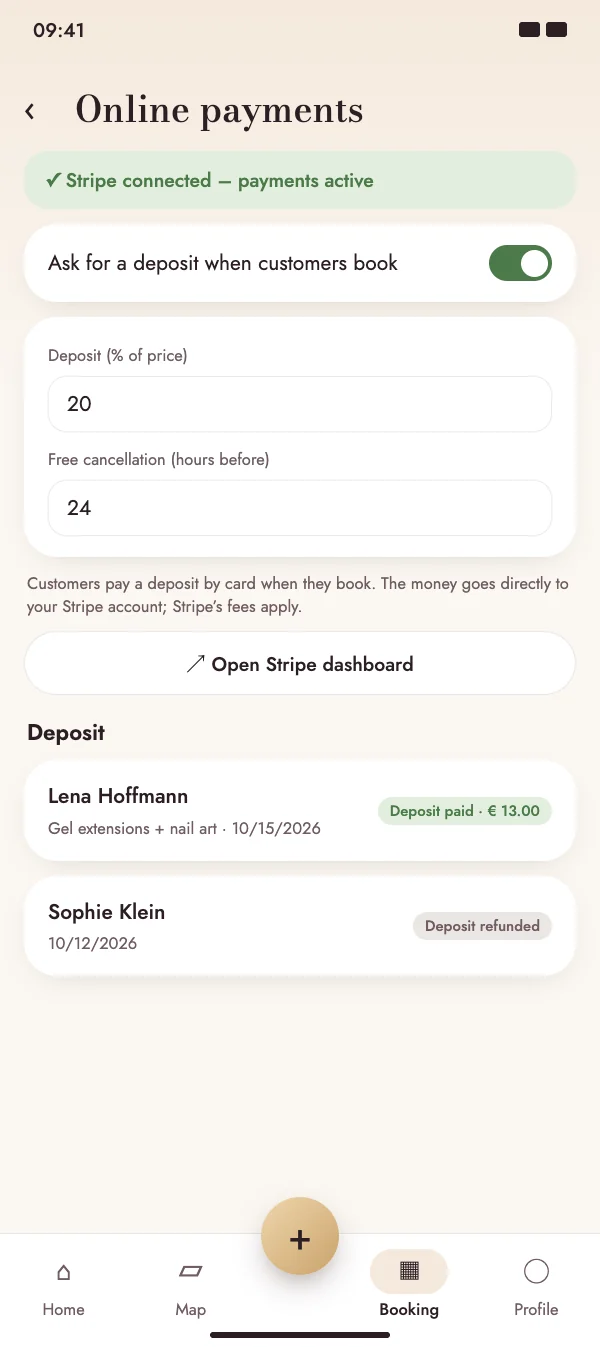
Deposits by card when booking

Connect your Stripe account once and decide how much customers pay in advance. The money goes directly to your account – NailMe takes no commission, only Stripe's fees apply.

  • Deposit as a percentage of the price
  • Unpaid bookings are released again after 30 minutes
  • Customers also pay when they book on your website
Deposits by card when booking

Invoices & deposits

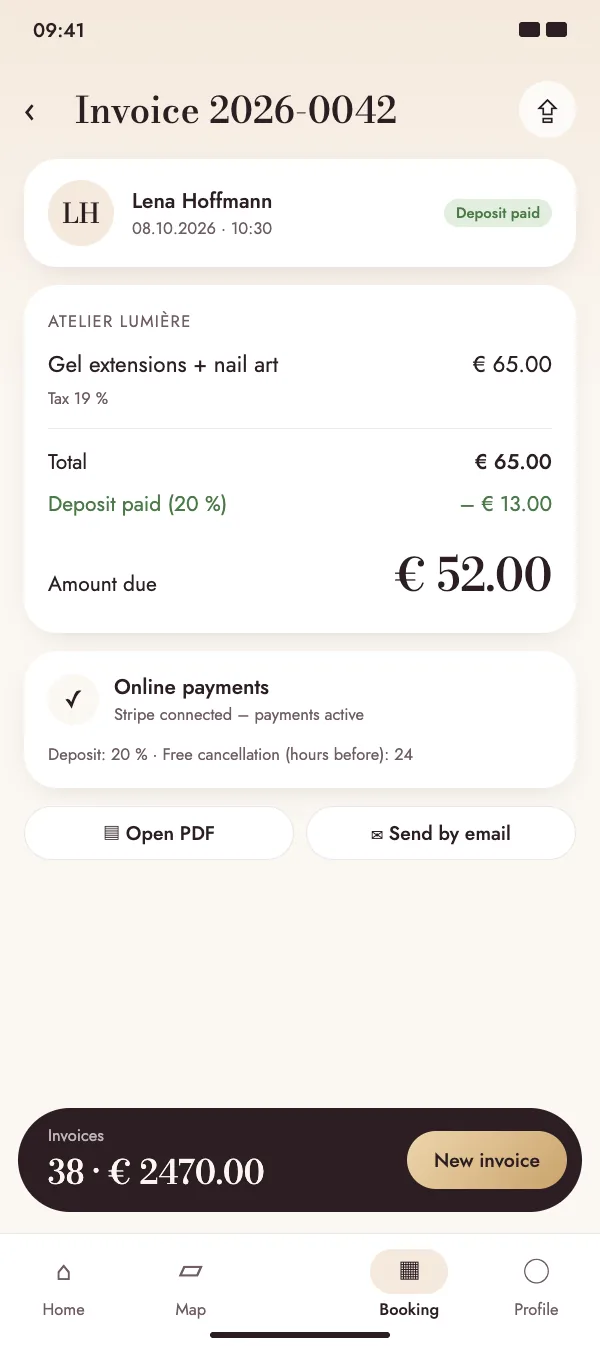
Invoice from the appointment in one tap

Customer, service, price and tax are already filled in. A paid deposit is deducted automatically, so the invoice shows exactly the balance due.

  • Consecutive invoice numbers and your business details
  • Tax rates and notes for your country, including small business exemption
  • Mark as paid with the payment method
Invoice from the appointment in one tap

Invoices & deposits

Professional PDF, sent by email

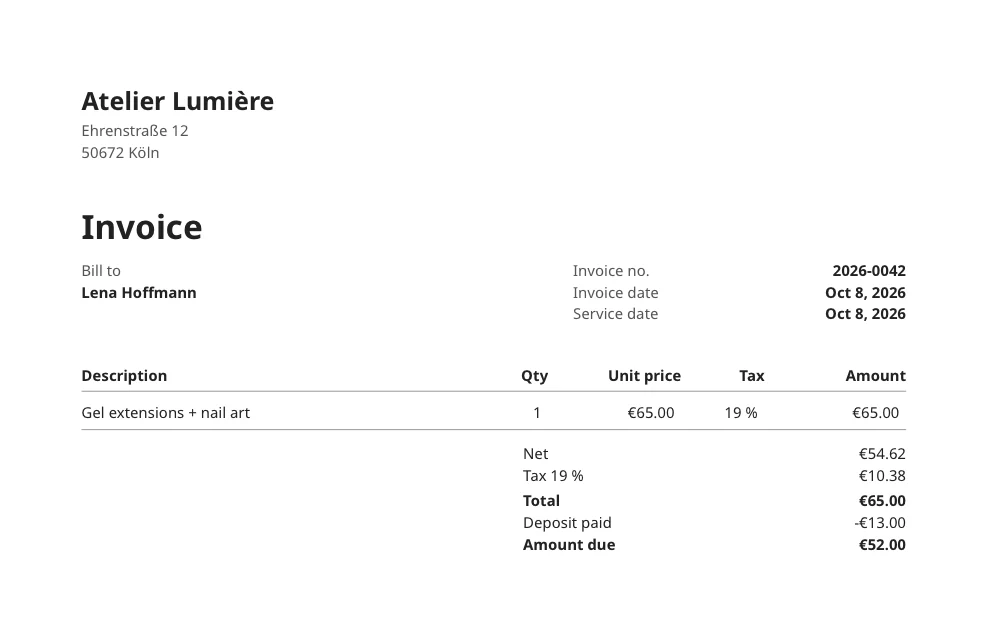
Every invoice is created as a clean PDF with all mandatory details and can be sent to the customer by email straight from the app.

  • Choose the language of your invoices
  • Open or resend the PDF at any time
  • All invoices of a period ready for the tax export
Professional PDF, sent by email

Invoices & deposits

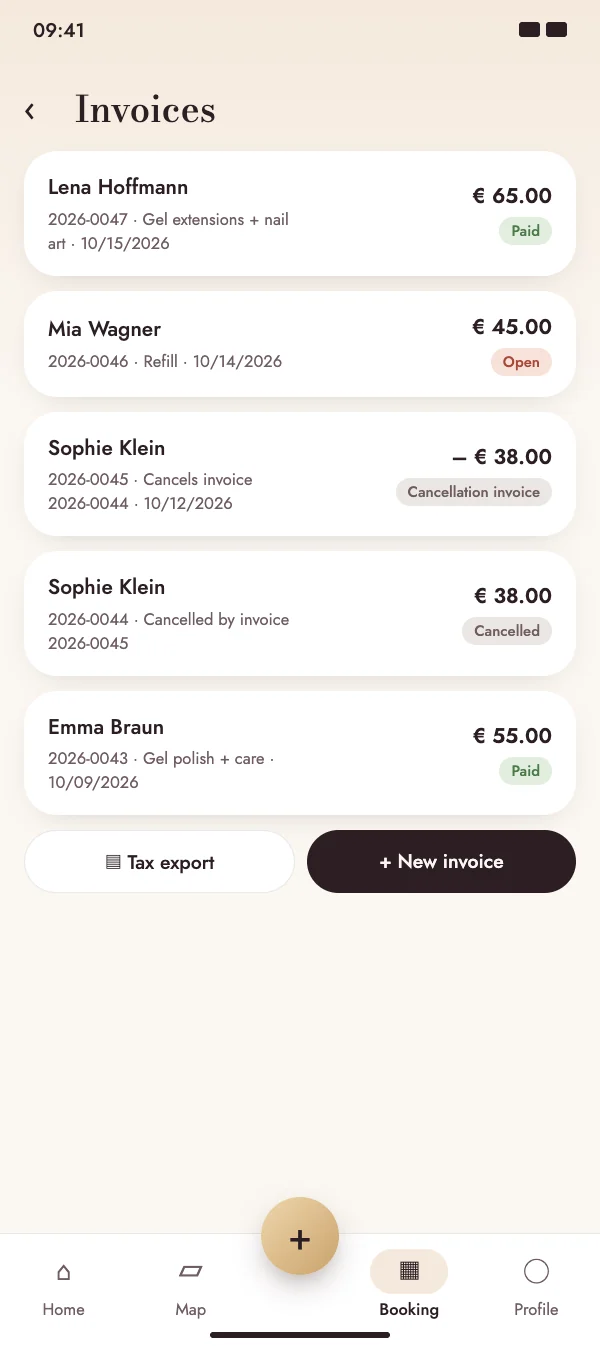
Cancellations handled correctly

If an appointment is cancelled in time, the deposit is refunded automatically; late cancellations keep it. Issued invoices are never changed – they are cancelled with a cancellation invoice that has its own number.

  • Free cancellation period in hours, set by you
  • Refunded or retained deposit visible in the booking
  • Overview of open, paid and cancelled invoices
Cancellations handled correctly

FAQ

Questions about invoices and deposits

What does it cost?

Invoices and online deposits are included in the NailMe Premium subscription. NailMe takes no commission on payments; only Stripe's usual fees apply.

Where does the money go?

Deposits are paid directly into your own Stripe account. You see all payments in your Stripe dashboard, which you can open from the app.

What happens when a customer cancels?

If the customer cancels before your free cancellation period ends, the deposit is refunded automatically. If they cancel later, you keep it. If you cancel or decline the booking, the customer always gets the money back.

Can I change an invoice afterwards?

Issued invoices can no longer be changed. To correct one, cancel it – NailMe creates a cancellation invoice with its own number – and issue a new invoice.

Start taking deposits today

Download NailMe for free and open Invoices from the menu in the Booking tab.

Free to download · iOS & Android