← Back to the overview

Time tracking

Time tracking for your whole team

Your team clocks in on their phone, appointments become working time with one tap, and at the end of the month you approve everything and export the timesheet. No paper lists, no extra app.

Free to download · iOS & Android

Clock in, take a break, clock out

How it works

From clock-in to timesheet in four steps

Time tracking

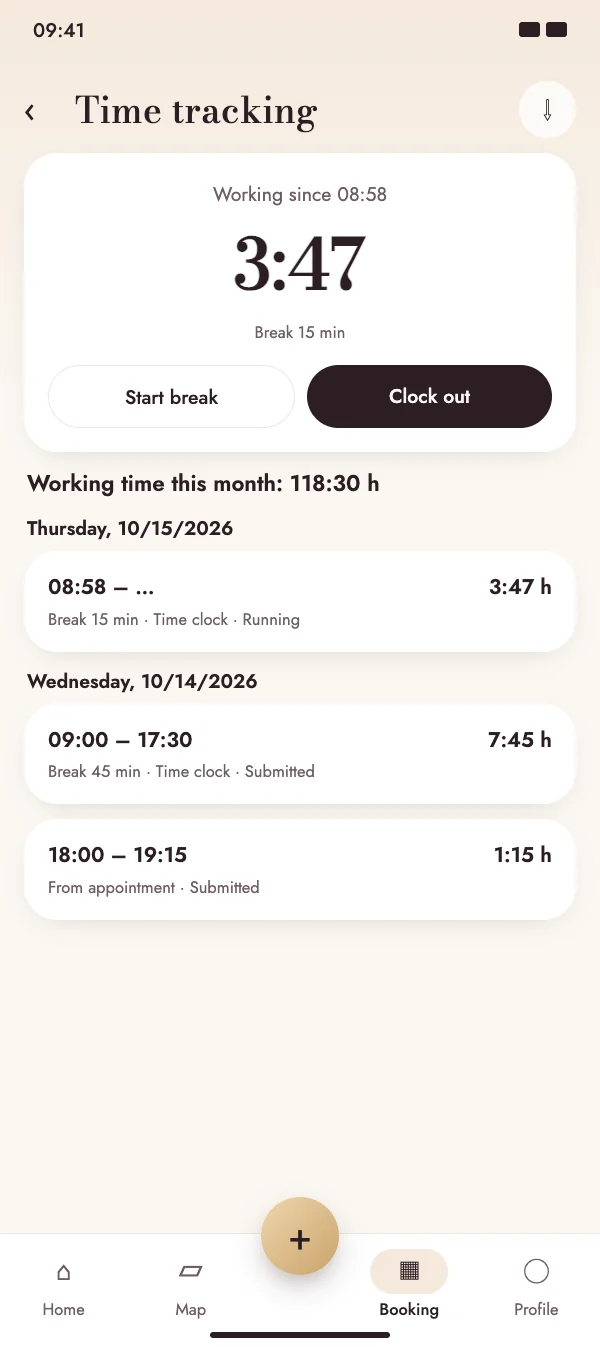
Clock in, take a break, clock out

The time clock runs in the cloud: start it on your way to work and stop it on any device. Breaks are recorded separately, so the working time is always right.

  • One tap to clock in and out, breaks with start and end
  • Reminder if you forgot to clock out after 10 hours
  • Add or edit times by hand until they are approved
Clock in, take a break, clock out

Time tracking

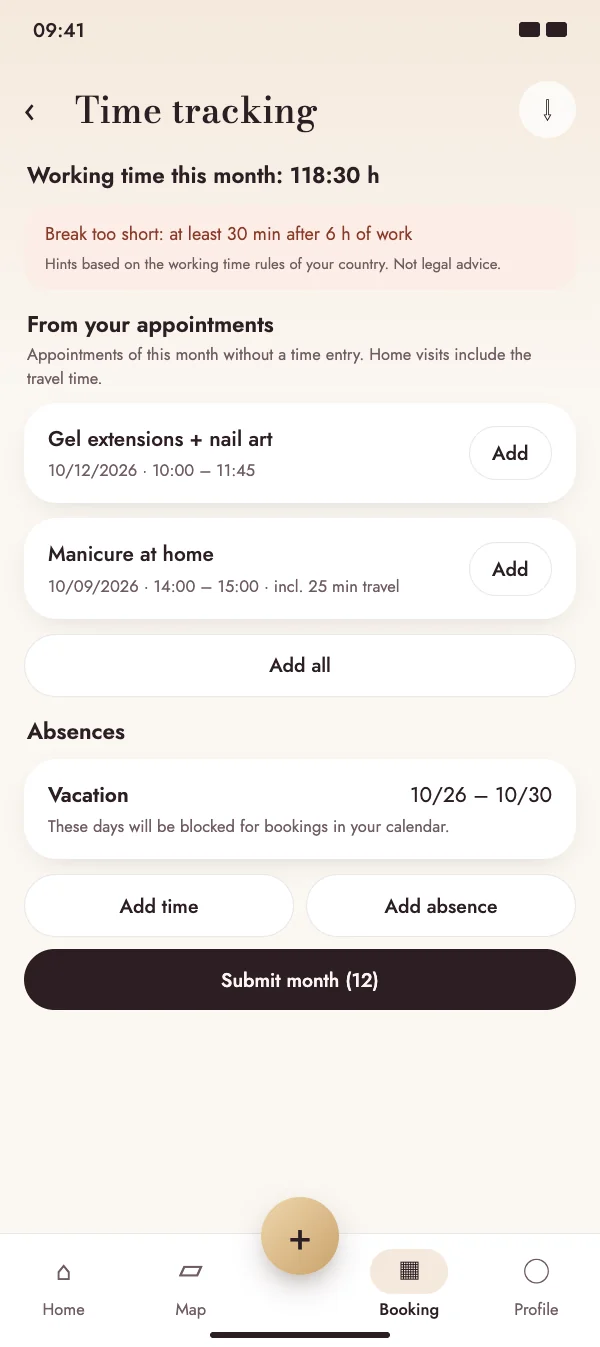
Appointments become working time

NailMe suggests the finished appointments of the month that have no time entry yet. Home visits include the travel time there and back.

  • Add single appointments or all at once
  • Vacation and sick leave block the days in your booking calendar
  • Hints on breaks, daily maximum and rest periods for your country
Appointments become working time

Time tracking

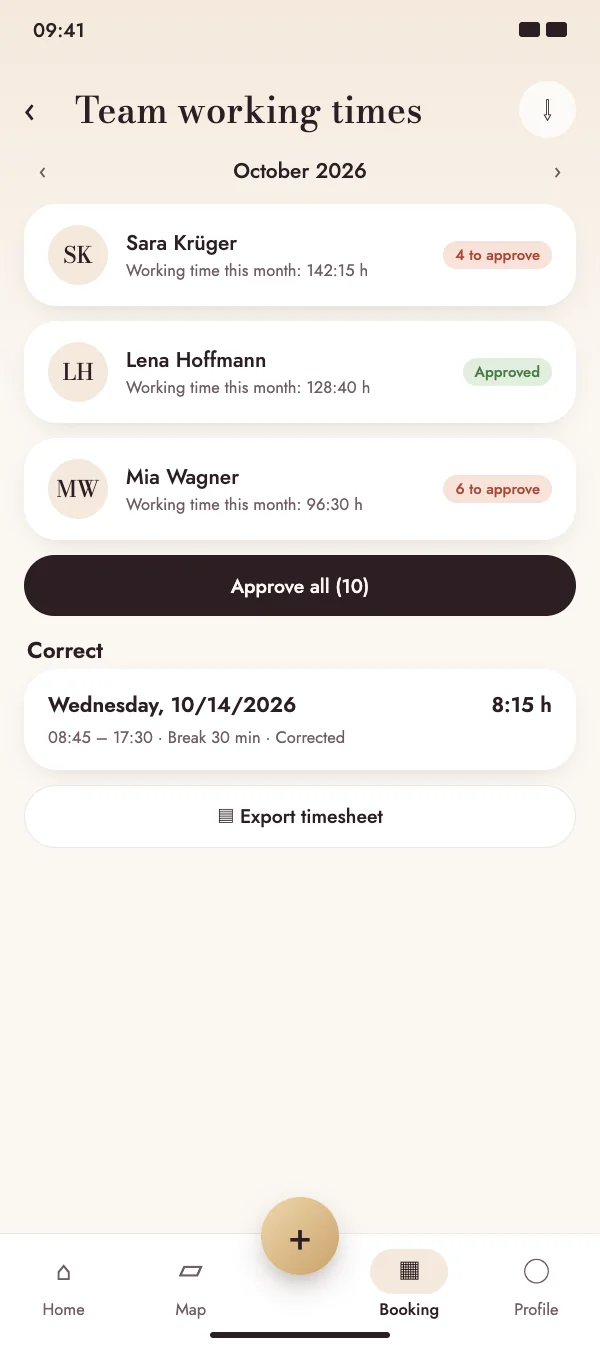
Approve the whole team in one go

Members submit their month, the group sees everyone's hours side by side and approves them with one tap. Corrections need a reason and stay traceable.

  • Monthly overview per team member with open entries
  • Correct an entry with a reason – the history is kept
  • Team members get a push when their times are approved or corrected
Approve the whole team in one go

Time tracking

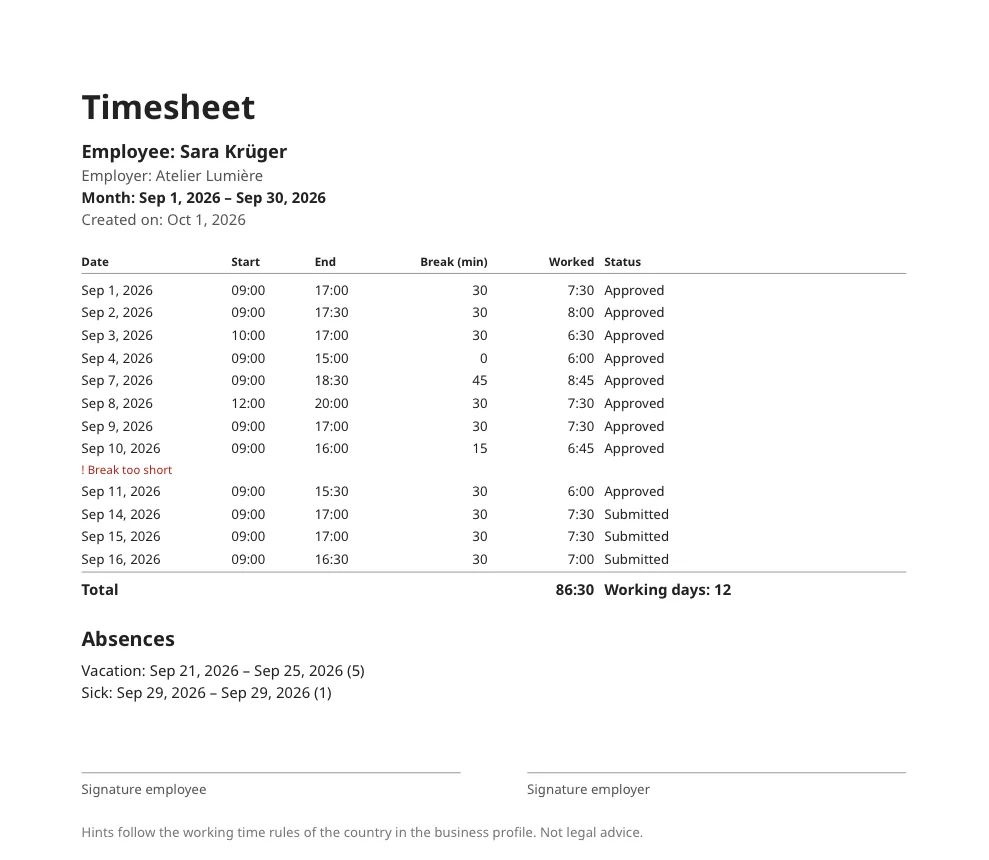
Timesheet as PDF and CSV

Export the month for each employee: a clear PDF with all days, breaks, totals, absences and signature lines, plus a CSV for payroll or your accountant.

  • In the language of the app, with your business details
  • PDF and CSV together in one ZIP file
  • Ready for payroll, your tax advisor or your own records
Timesheet as PDF and CSV

FAQ

Questions about time tracking

What does time tracking cost?

Time tracking is included in the NailMe Premium subscription. Members of a group use it through the group's subscription – no extra cost per employee.

Is my location tracked?

No. NailMe only stores the times you clock or enter – no GPS, no location history.

What if someone forgets to clock out?

After 10 hours NailMe sends a reminder. Entries can be corrected until they are approved; after that only the group can correct them, with a reason.

Does it help with the duty to record working hours?

NailMe records start, end and breaks for every day, keeps corrections traceable and exports everything as PDF and CSV. The working time hints follow the rules of your country but are not legal advice.

Start tracking time today

Download NailMe for free and open Time tracking from the menu in the Booking tab.

Free to download · iOS & Android