← Back to the overview

Tax export

Ready for your tax return in one tap

Choose a period, tick what you need and download one ZIP file with everything your tax advisor asks for – from the tax report to the DATEV posting batch.

Free to download · iOS & Android

Choose period and contents

How it works

From period to ZIP file in three steps

Tax export

Choose period and contents

Month, quarter or year: NailMe collects all invoices of the period, including cancellation invoices, and puts the files you select into one ZIP file.

  • Tax report as PDF, invoice list as CSV and Excel
  • All invoice PDFs of the period included
  • Download the ZIP straight to your phone
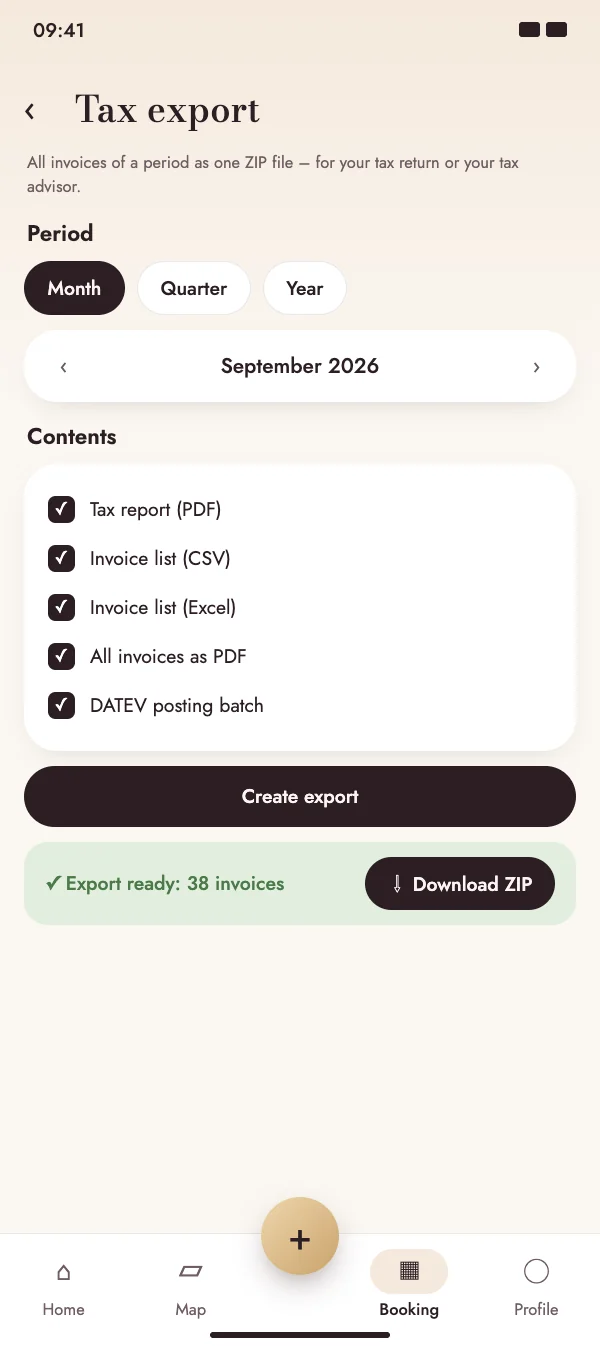
Choose period and contents

Tax export

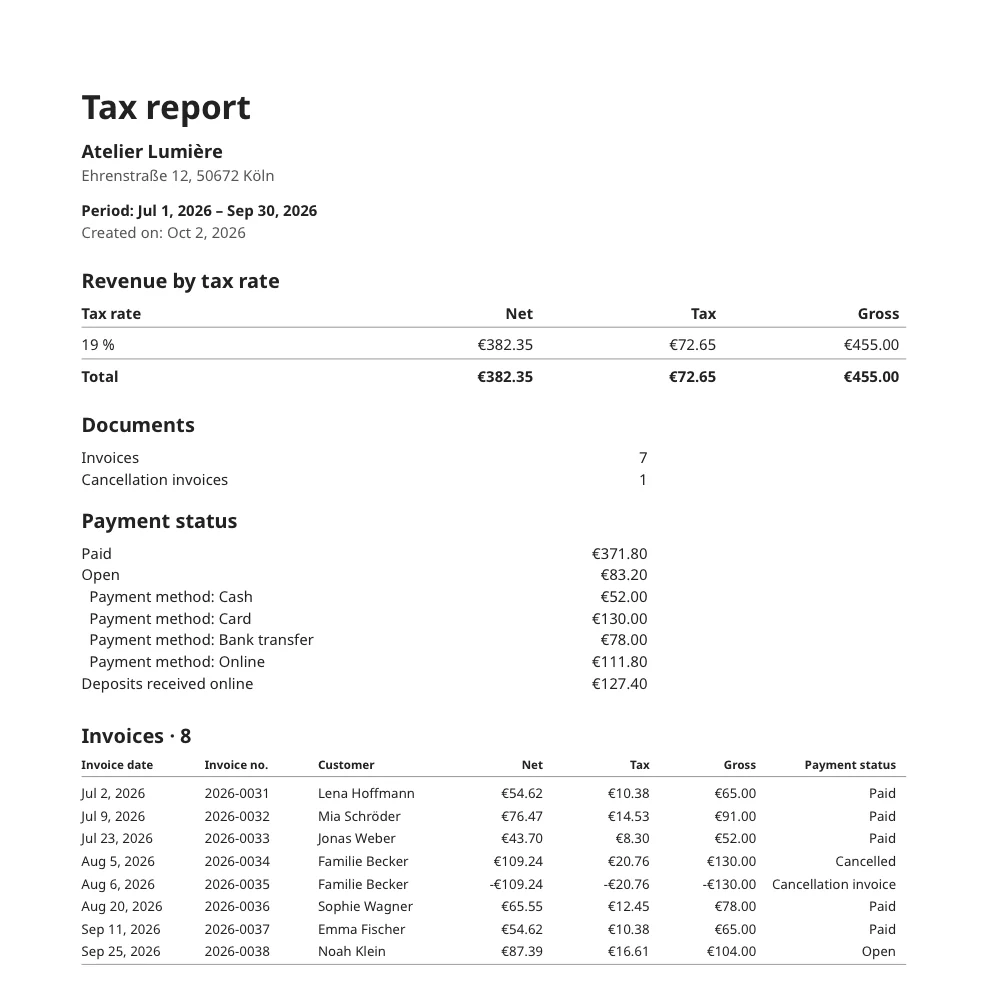
The tax report at a glance

The report sums up revenue per tax rate, payment status and payment methods as well as deposits, and lists every invoice of the period – in the language you use.

  • Totals per tax rate
  • Paid, open and cancelled invoices
  • Online deposits shown separately
The tax report at a glance

Tax export

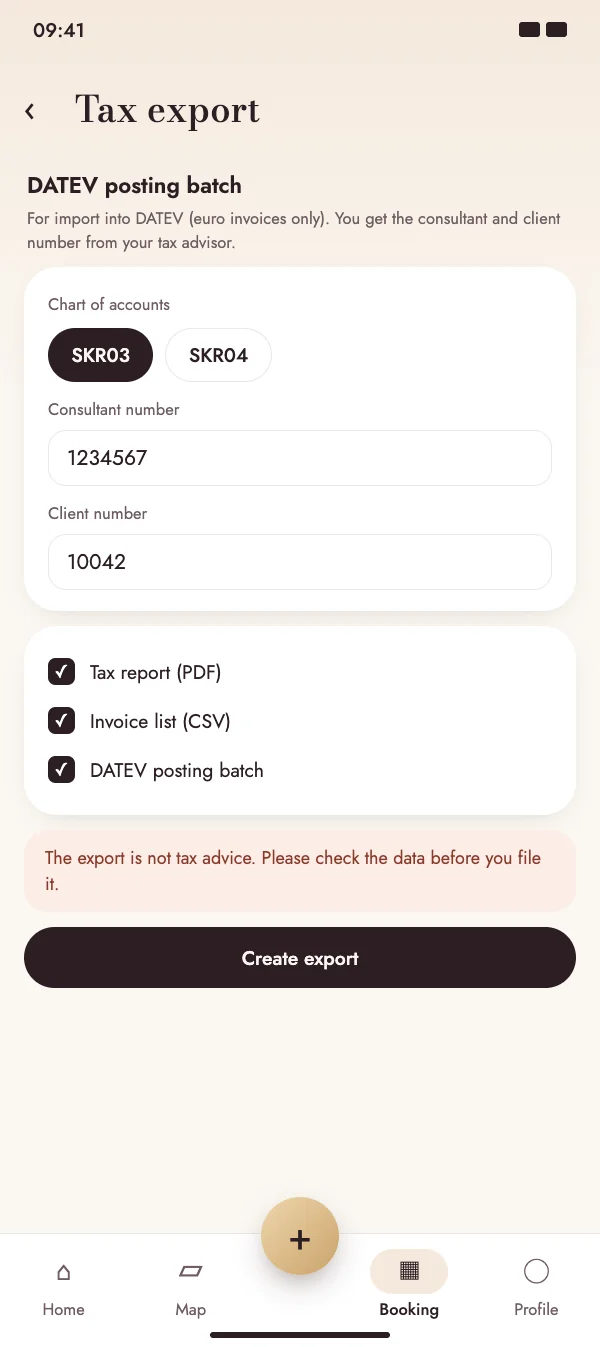
DATEV posting batch for your tax advisor

Enter your consultant and client number once in the business profile. The export then contains a posting batch that your tax advisor imports straight into DATEV.

  • Chart of accounts SKR03 or SKR04
  • For invoices in euros
  • Settings are kept for the next export
DATEV posting batch for your tax advisor

FAQ

Questions about the tax export

What does the tax export cost?

The tax export is included in the NailMe Premium subscription, together with invoices and online deposits.

Is the export tax advice?

No. The export collects your invoice data in a clear form. Please check it before you file it or pass it on.

Do I need DATEV?

No. The tax report, the CSV and Excel lists and the PDFs work with any tax advisor or bookkeeping software. The DATEV posting batch is an extra for tax advisors who use DATEV.

Is there a limit?

If a period contains too many invoices for one export, NailMe asks you to choose a shorter period – for example a quarter instead of the whole year.

Do your paperwork faster

Download NailMe for free, open Invoices from the menu in the Booking tab and tap Tax export.

Free to download · iOS & Android