
← Back to the overview

Projects

Your work as a reference, confirmed by your workplace

A job title says little about what you can do. With projects you show your actual work – with role, techniques and workplace. The business where you did it can confirm it, and you take your references everywhere.

Free to download · iOS & Android

Turn a post into a project

How it works

From your post to a confirmed reference

Projects

Turn a post into a project

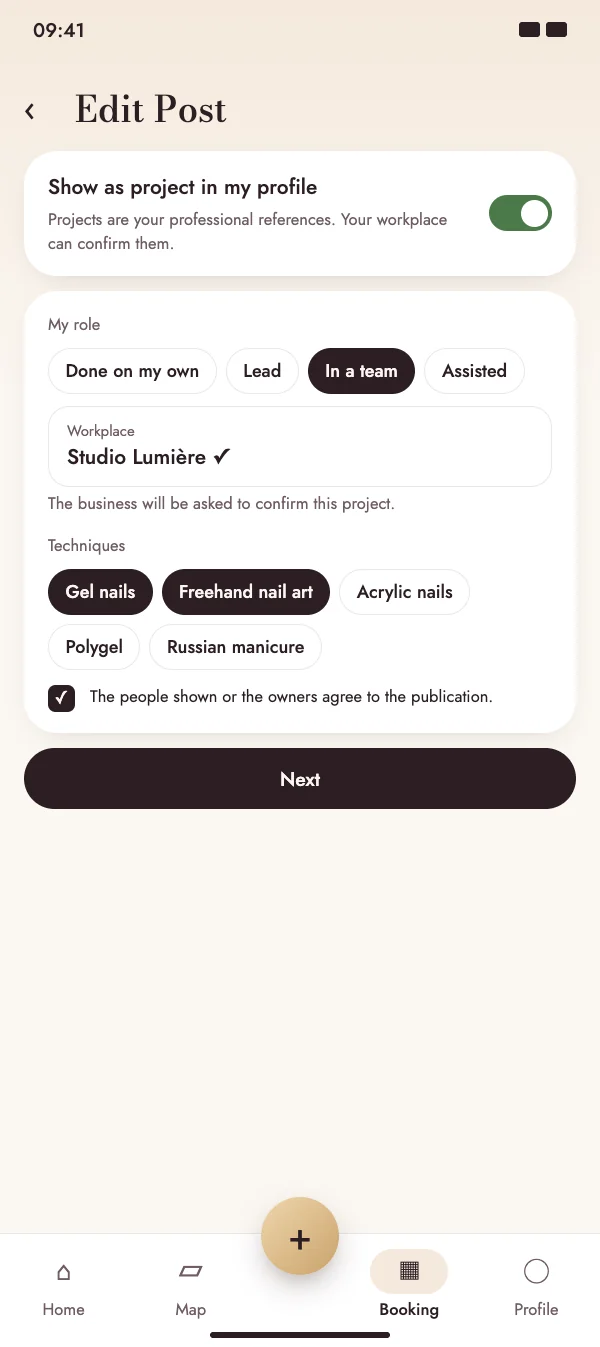
When you post, switch on “Show as project in my profile” and add what you did. Pick your workplace from the businesses in the app or type its name.

  • Role: done on your own, lead, in a team or assisted
  • Techniques, duration and month of completion
  • Publishing only with the consent of the people shown or the owners
Turn a post into a project

Projects

Your projects in your profile

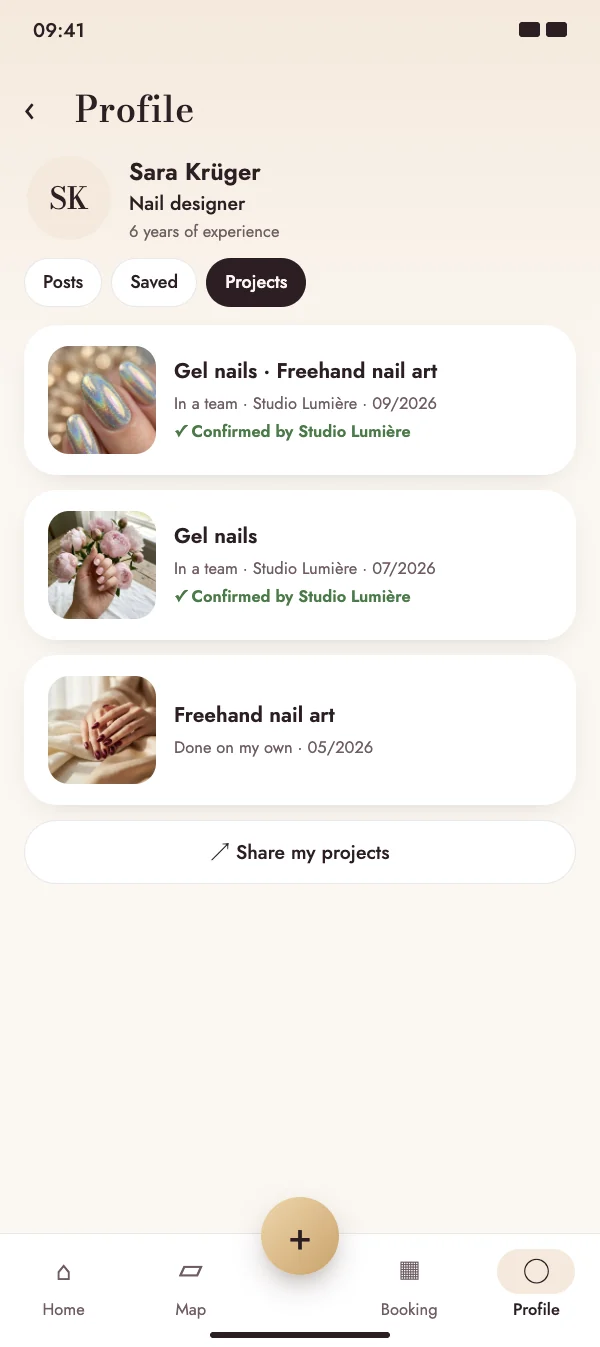
Your projects get their own tab in your profile, together with your job title and years of experience. Share them as a link, for example with a job application.

  • Confirmed projects carry the name of the business
  • Job title and experience at the top of your profile
  • Share link to your projects on the NailMe website
Your projects in your profile

Projects

Your workplace confirms

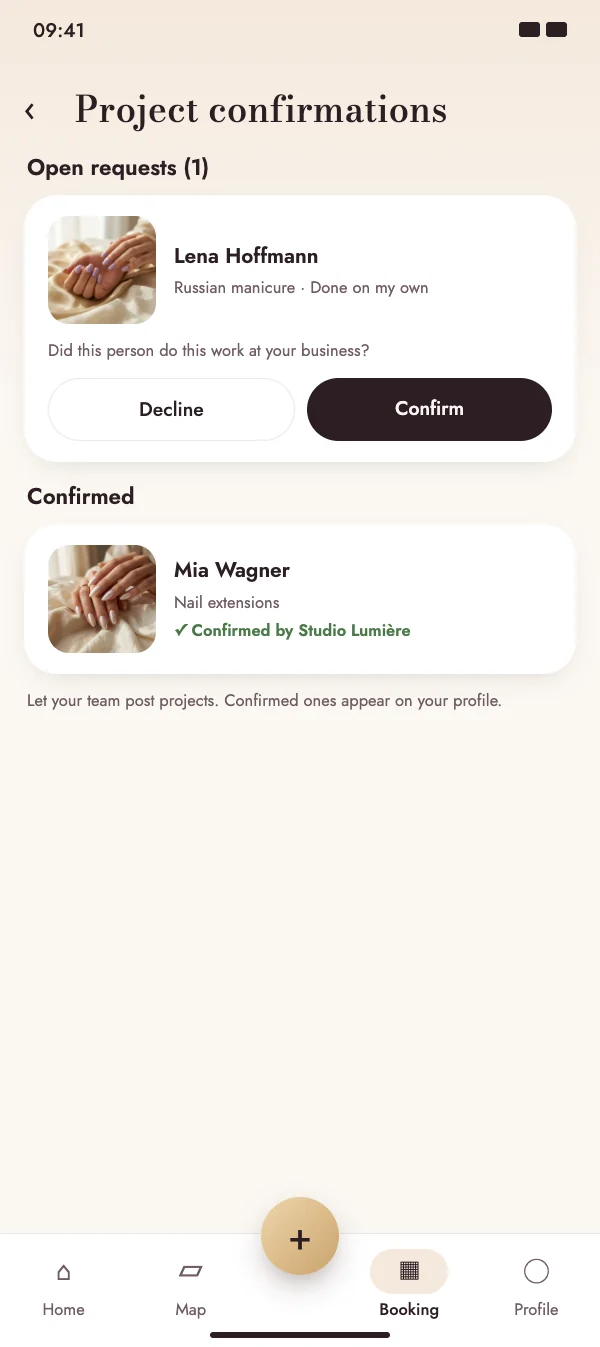
If you link a business, it gets a request in the app. It confirms the project or declines it – and can withdraw a confirmation later.

  • Push notification for every new request
  • Confirm or decline with one tap
  • You are notified as soon as the business has decided
Your workplace confirms

Projects

Businesses show their team’s work

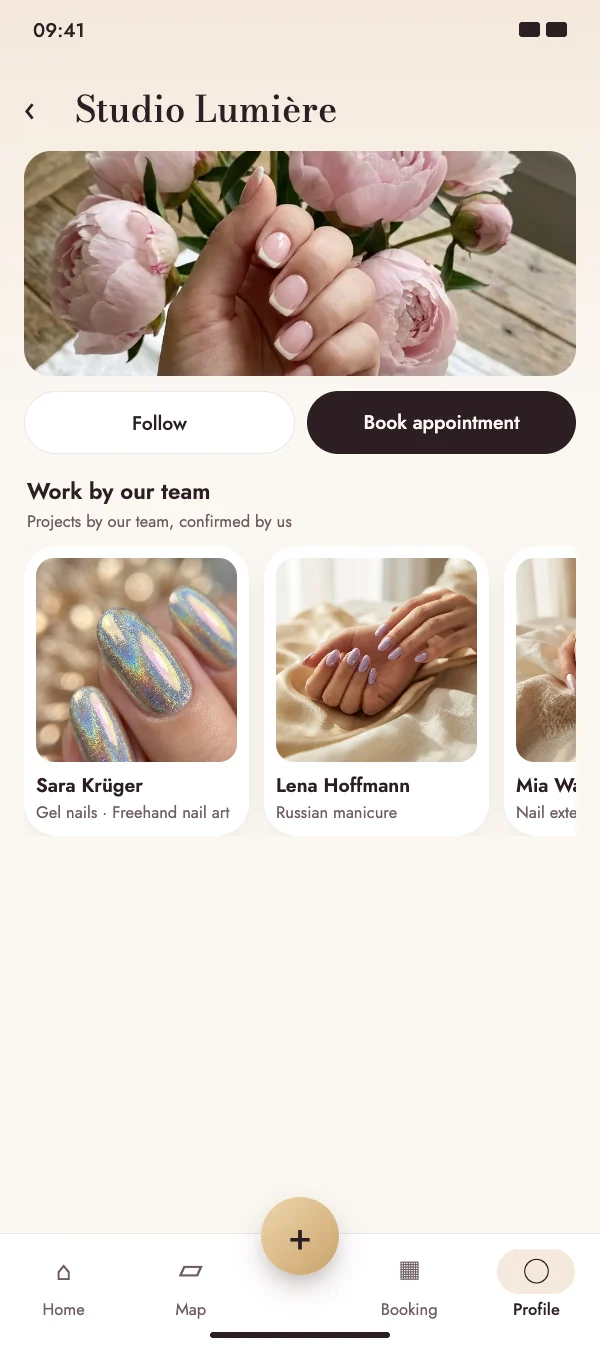
Every project a business confirms also appears on its own profile as “Work by our team” – in the app and on the website. Your team’s work becomes the best advertising for the business.

  • Confirmed work of the team on the business profile
  • Visible in the app and on the profile page on the web
  • Deleted projects disappear from it automatically
Businesses show their team’s work

FAQ

Questions about projects

What does it cost?

Nothing. Posting projects and confirming them is free for everyone.

Who can confirm a project?

Only the business you link as your workplace, and only if it has a business account in NailMe. If you type the name instead, the project is shown without confirmation.

What happens if I delete a project?

It disappears from your profile and from the business’s “Work by our team”. The business can also withdraw its confirmation at any time.

What does the business see, and how precise is the location?

The business sees the image, the description, your name and your profile photo. For projects, the location is only saved approximately, to about one kilometre.

Start building your references

Download NailMe for free. You find your projects in your profile; businesses confirm them from the menu in the Booking tab.

Free to download · iOS & Android