
← Back to the overview

Team & insights

Your team and your numbers in one app

Bring your team together in one group, decide who offers which service and let clients pick their person. Insights show at a glance how your business is doing.

Free to download · iOS & Android

Bring your team into one group

How it works

From the first invitation to your monthly numbers

Team & insights

Bring your team into one group

Switch on the group and invite other professional accounts. You always see who has accepted and who is still pending.

  • Search for professionals and invite them with one tap
  • Status for every member: pending or approved
  • Chat with members or remove them from the group
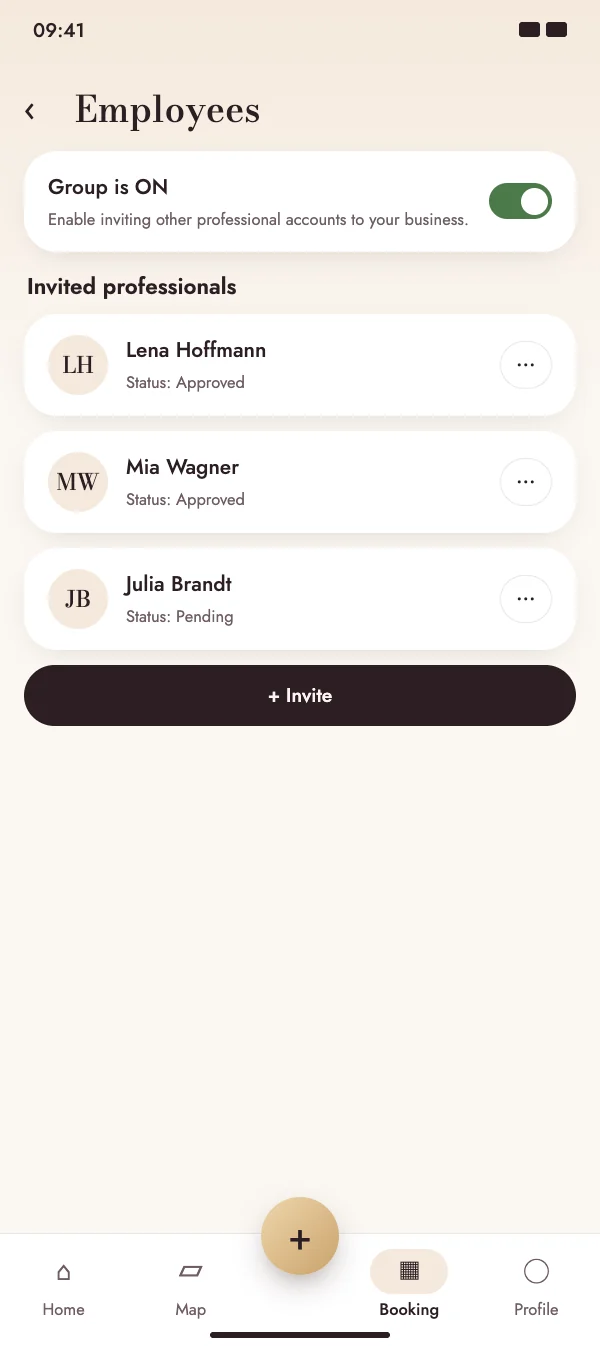
Bring your team into one group

Team & insights

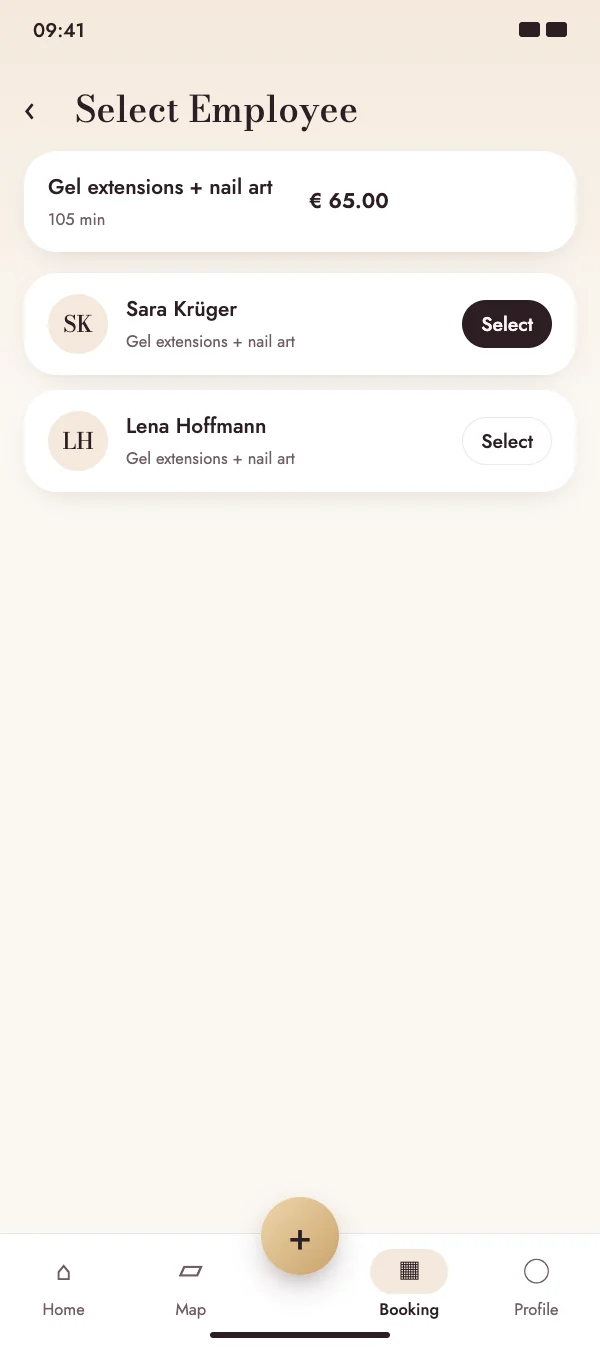
Clients choose who they book with

Assign every service to the employees who offer it. When booking, clients see who offers the service and pick their person.

  • Services assigned per employee
  • Booking calendar for everyone or filtered by person
  • Assign manual bookings to an employee
Clients choose who they book with

Team & insights

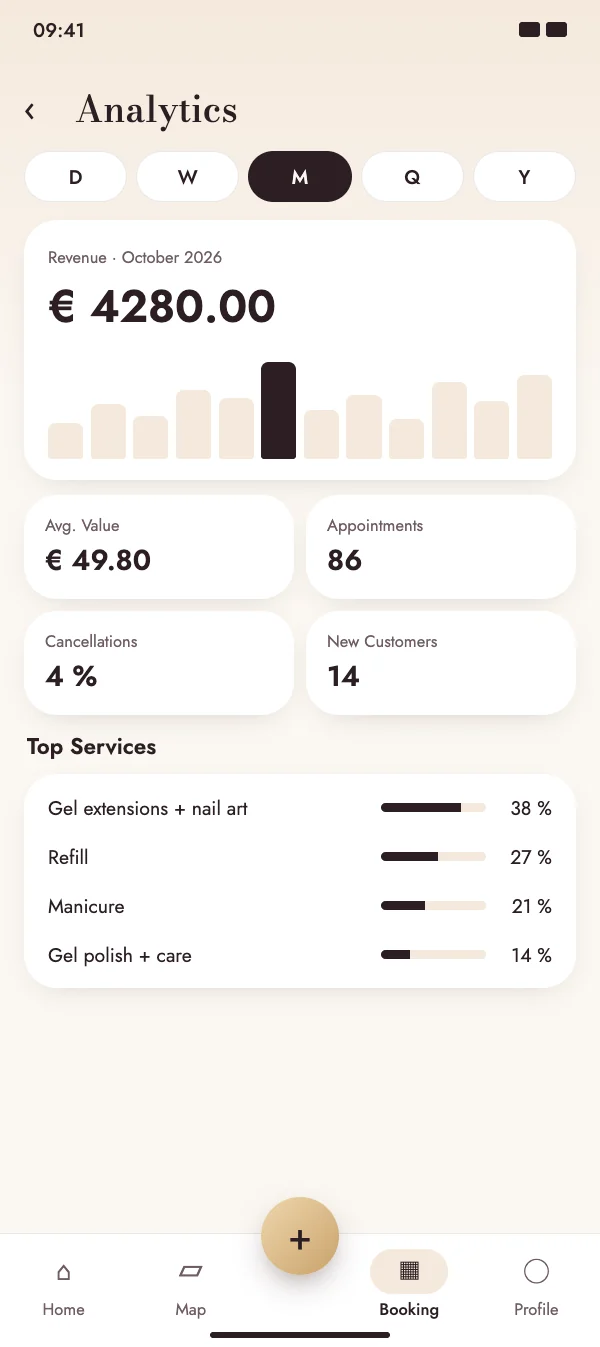
Revenue and appointments at a glance

Insights calculate your key figures from your bookings: revenue, average booking value, appointments and cancellations – for a day, week, month, quarter or year.

  • Switch the period with one tap
  • Your top services at a glance
  • Detail views for revenue and appointments
Revenue and appointments at a glance

Team & insights

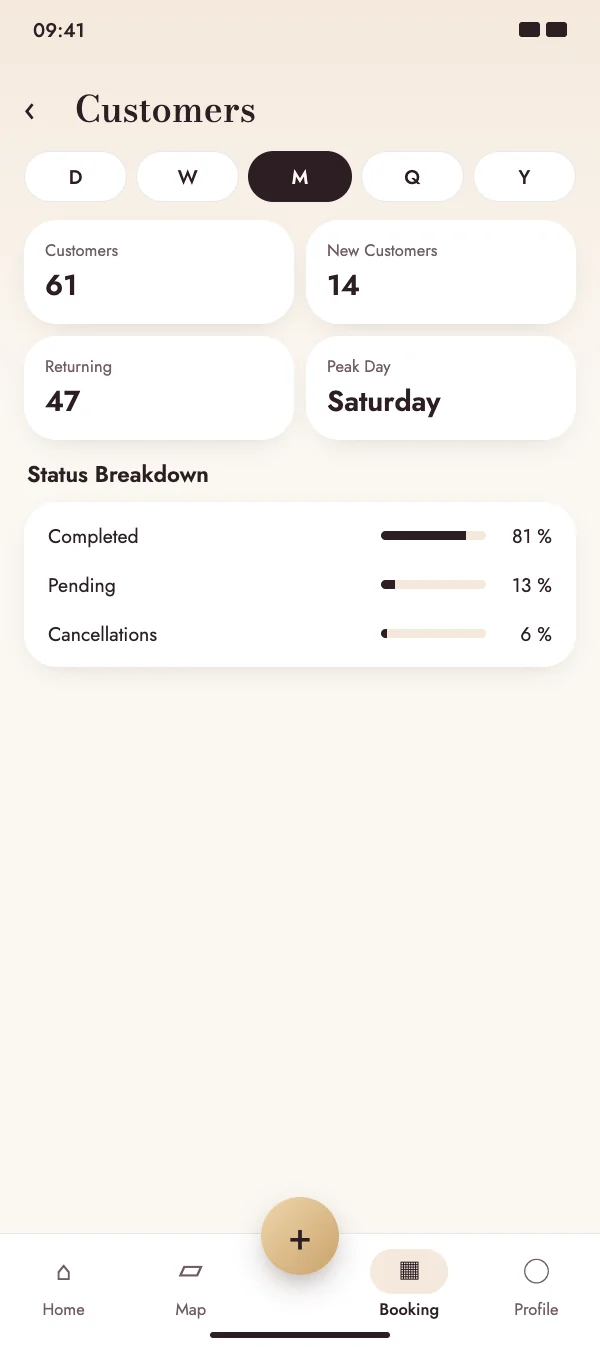
Get to know your customers

See how many customers you had, how many were new and how many came back – and on which weekday the most is going on.

  • New and returning customers
  • The busiest day of the week
  • Status breakdown and completion rate of your bookings
Get to know your customers

FAQ

Questions about team & insights

What does it cost?

Working as a team needs the group subscription – you will find it under pricing. Insights are available without an extra subscription.

What happens when I invite someone?

The invited professional gets the invitation in the app and accepts it. Then they appear in your group as approved and you can assign services to them.

Can my team track their working time?

Yes. With time tracking, members clock in and out, and the group approves the hours and exports timesheets as PDF and CSV.

Can I remove someone from the group?

Yes. In the employee list you can remove a member at any time using the menu next to their name.

Grow together with your team

Download NailMe for free and open your team and insights from the menu in the Booking tab.

Free to download · iOS & Android