← Back to the overview

Courses & workshops

Fill your training seats, not just your chairs

Offer gel modelling for beginners, a nail art masterclass or a Russian manicure workshop. Customers book a seat on your profile, a waitlist fills free seats, and after the last part you mark attendance and issue certificates.

Free to download · iOS & Android

Create a course and plan its sessions

How it works

From the first course to the certificate in four steps

Courses & workshops

Create a course and plan its sessions

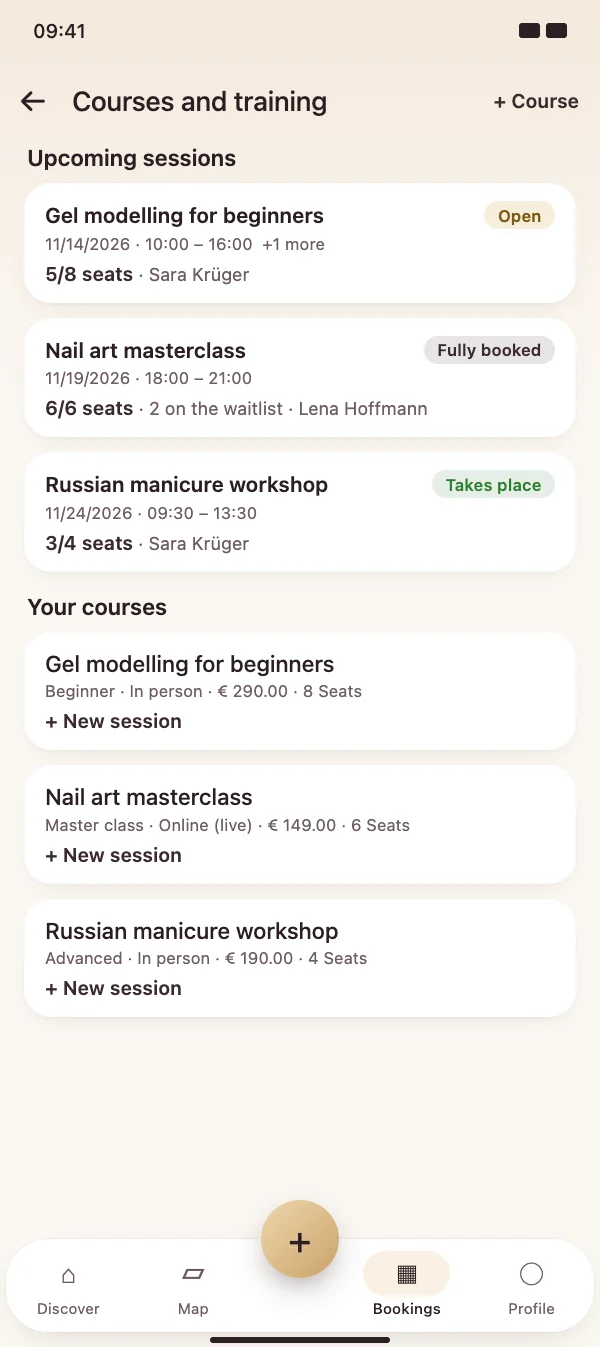
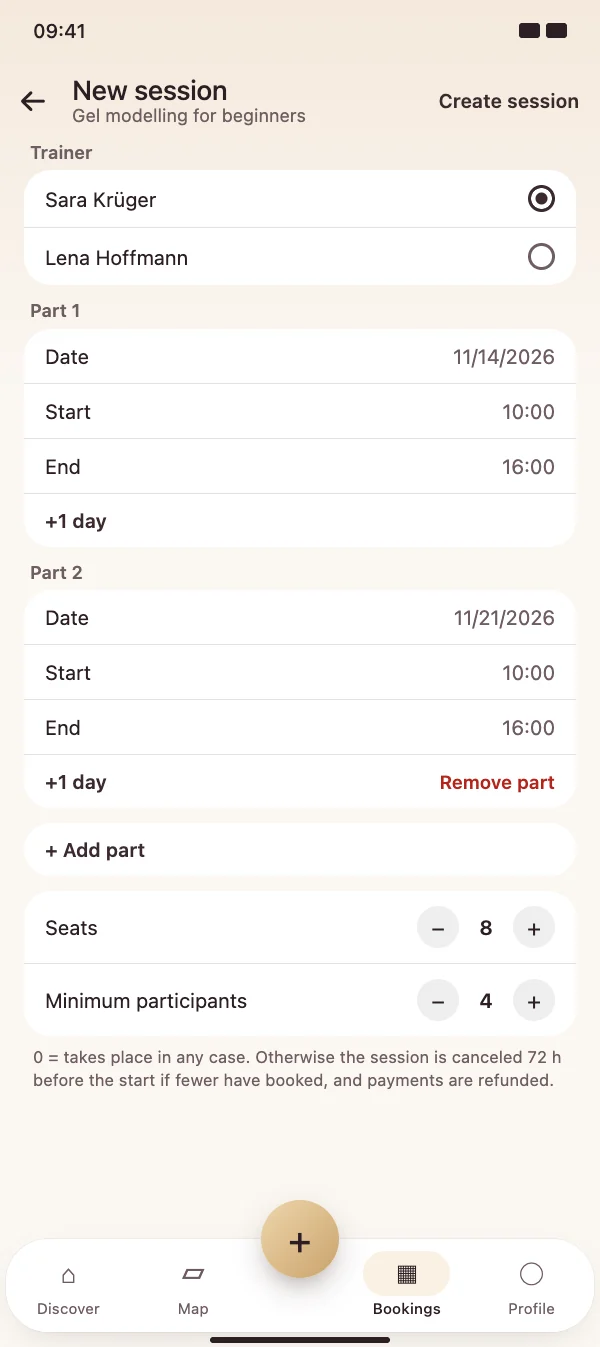
Under Appointments, then the menu and Courses and training, you create a course once: title, level, price, seats, minimum number, material and certificate. Then you plan a session – with a trainer and a date for every part.

  • Up to 10 parts per session, e.g. two Saturdays
  • The trainer's calendar is checked: busy times are marked
  • In person or live online with a link for participants
Create a course and plan its sessions

Courses & workshops

Your courses on your profile

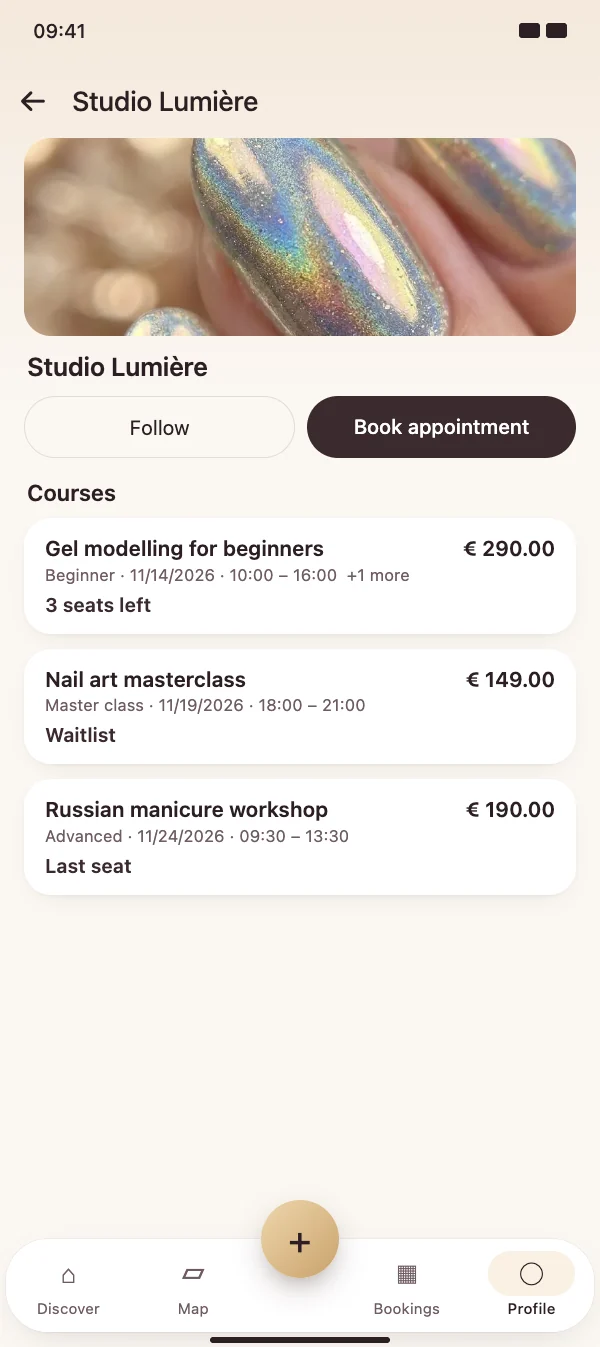
Upcoming sessions appear in their own Courses section on your profile, with level, dates, price and the seats that are left. In search, customers can filter for studios with courses.

  • Seats left or waitlist at a glance
  • Search filter Courses
  • Also bookable in the browser on your booking page
Your courses on your profile

Courses & workshops

Customers book a seat

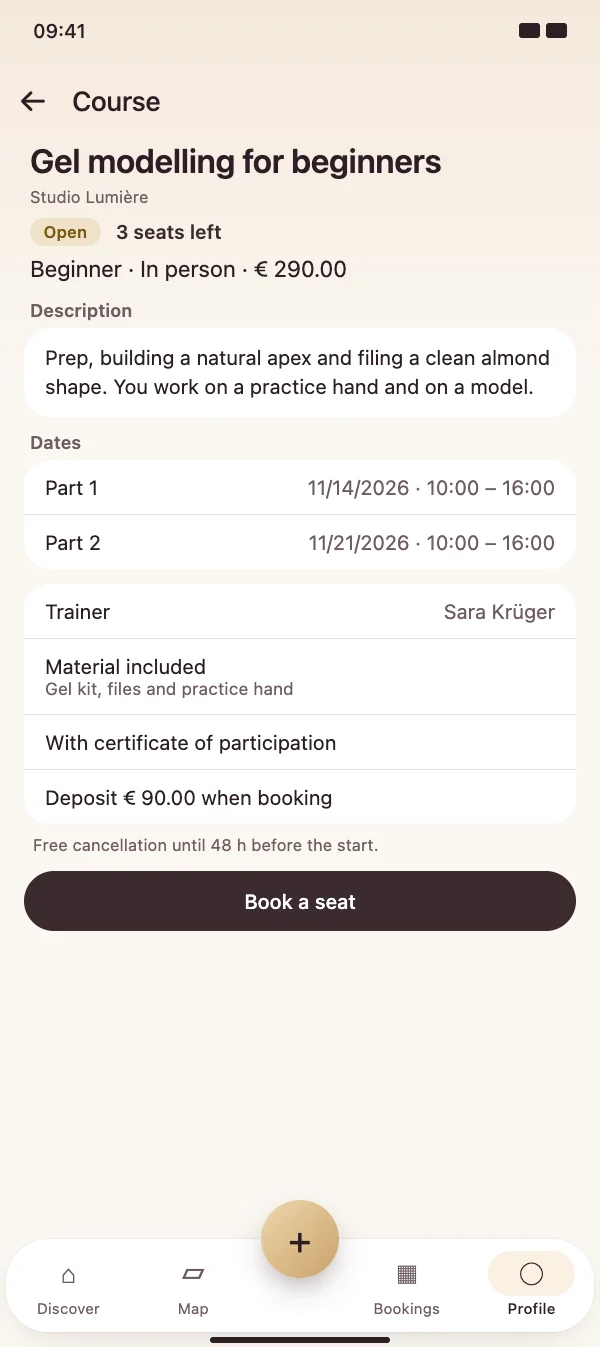
The course page shows the description, all dates, trainer, material, certificate and the cancellation rule. One tap books a seat – when the course is full, the customer joins the waitlist.

  • Pay on site, a deposit or the full price in advance
  • Free cancellation up to the deadline you set, with refund
  • The course appears under My appointments
Customers book a seat

Courses & workshops

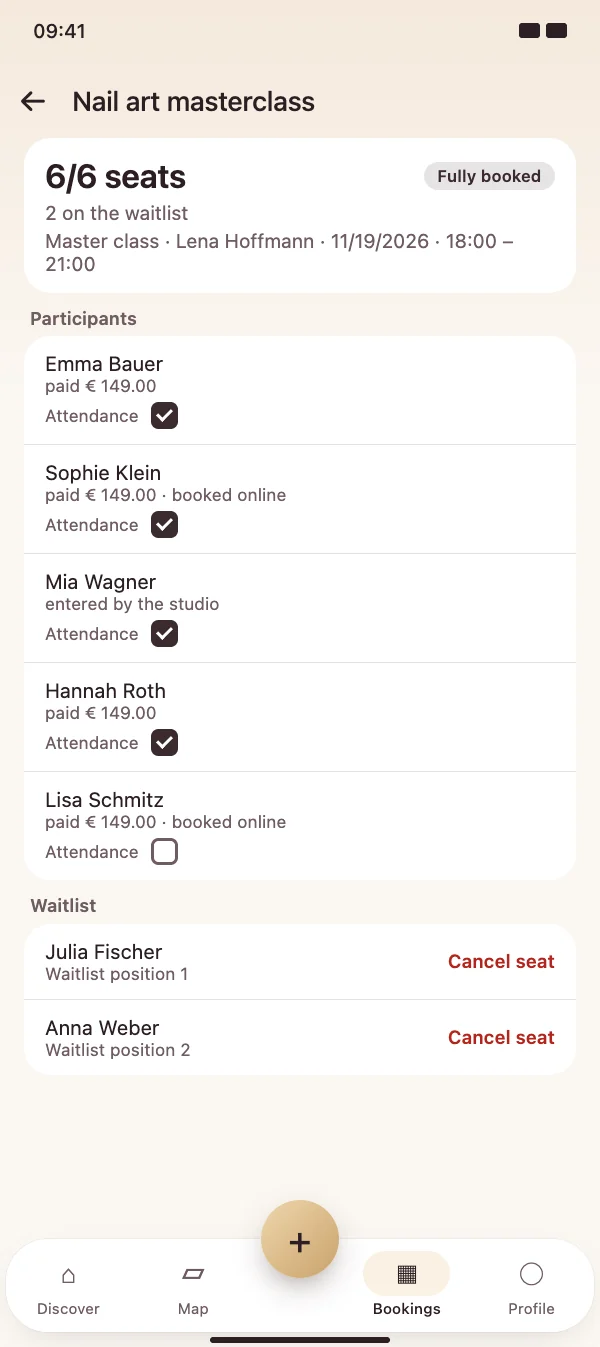
Participants, attendance and certificates

In the session you see every participant with payment status and the waitlist. Tick attendance per part, send a message to everyone and create certificates of participation as PDF after the last part.

  • The first person on the waitlist moves up automatically
  • Add participants by hand, e.g. after a phone call
  • Change seats or cancel the session – paid amounts are refunded
Participants, attendance and certificates

FAQ

Questions about courses

What do courses cost?

Offering courses is part of the NailMe Pro subscription. Booking a seat is free for customers – they only pay the course price you set.

How do participants pay?

You choose per course: payment on site, a deposit or the full price when booking. Online payments go through your connected Stripe account. If someone cancels before your deadline, or you cancel the session, the amount is refunded automatically.

What happens if too few people book?

You can set a minimum number of participants. If it is not reached 72 hours before the start, the session is canceled automatically, everyone is informed and payments are refunded. Otherwise the session is marked as taking place.

How does the waitlist work?

When a session is full, customers join the waitlist. If a seat becomes free, the first person moves up automatically and gets a push notification. If the course is paid in advance, she has 24 hours to pay, otherwise the next person moves up.

Can I teach online?

Yes. For live online courses you add the link per session. Only participants with a seat see it, in the app. Reminders go out 24 hours before every part.


Start your first course

Download NailMe for free, open Appointments in the Bookings tab and create a course from the menu under Courses and training.

Free to download · iOS & Android