← Home

Quick answer

Which app should I use to book a manicure?

Short answer

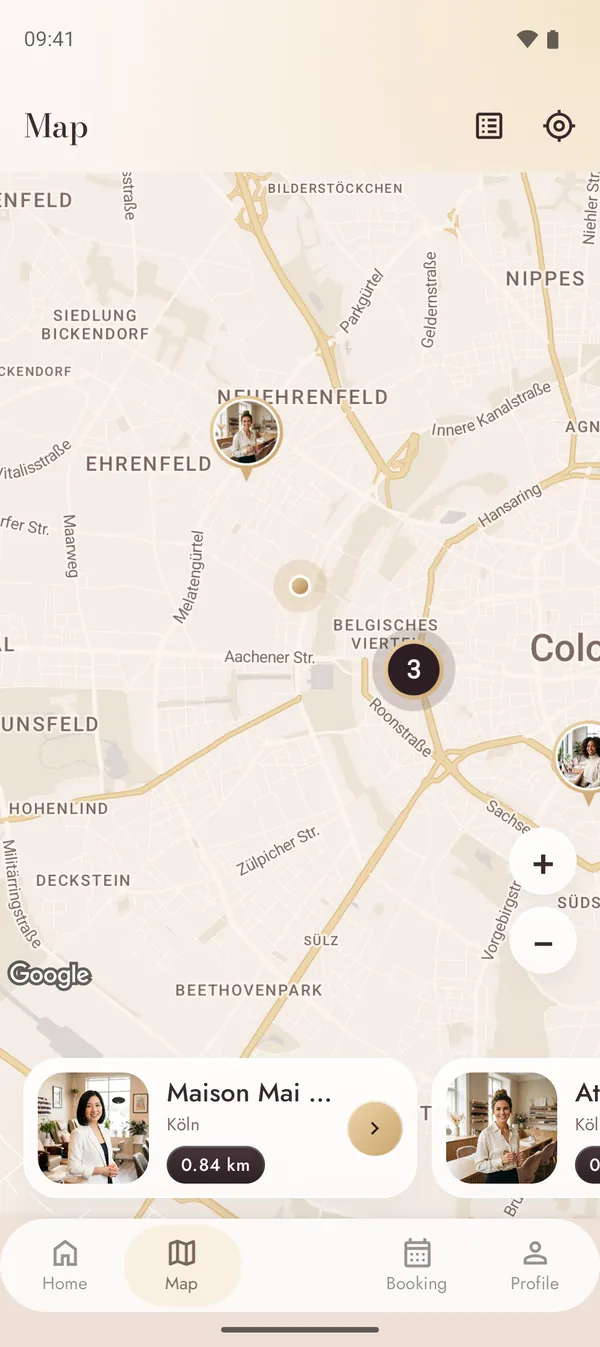
If you want to see a nail artist's work and prices before you book, use NailMe: find manicurists and nail studios in your city on the map, compare services, prices and duration, look at their real work and at reviews from booked appointments, then book a free slot – in the app or straight in your browser, without installing anything. Booking is free for clients and you pay at the studio. As an extra, you can try nail designs on a photo of your own hand with AI and take the design to your appointment.

Updated November 2026

Free to download · iOS & Android

Which app should I use to book a manicure?

At a glance

Find studiosBy city, on the map and by service – manicure, gel, acrylic, nail art, pedicure, lashes and brows
PricesPrice and duration of every service before you book
BookingIn the app or in any browser on the studio's booking page – no app needed
ReviewsOnly from clients with a booked appointment
PaymentDirectly at the studio
Cost for clientsFree
ExtraTry nail designs on a photo of your own hand with AI

What a booking app should show you

Before you book a manicure you want to know three things: what the work looks like, what it costs and when there is a free slot.

  • Recent photos of the studio's own work
  • Clear prices and durations for each service
  • Free times you can book right away, with a reminder before the appointment

Book without installing an app

Every bookable studio on NailMe has its own booking page. Open it in your browser, choose the service and the time and confirm – sign in with Google, Apple or email.

  • The booking link from the studio's Instagram or WhatsApp works too
  • Reminder before your appointment
  • Chat with the studio and send your reference design

Not sure which design you want?

NailMe shows nail designs from real studios, and with AI you can try a design on a photo of your own hand – then show it to your nail artist.

  • Designs by style, colour and nail shape
  • AI try-on on your own hand
  • Save favourites and share them with your nail artist

FAQ

More questions on this topic

Is booking a manicure through NailMe free?

Yes. Searching, chatting and booking are free for clients. You pay the price of the service directly at the studio.

Do I have to install the app to book?

No. You can book in any browser on the studio's booking page. The app adds reminders, chat, the design feed and the AI try-on.

What about other booking apps?

There are several booking apps for beauty services, for example Booksy, Fresha or Trinks. Which one fits depends mostly on which studios in your city use it. NailMe is made for nails – manicure, gel, acrylic, nail art, pedicure, lashes and brows – and lets you see each studio's work and try designs on your own hand before you book.

My nail artist isn't on NailMe yet – what can I do?

Tell them about it: NailMe is free for nail artists, takes no commission, and their booking page works right away. Until then you can browse designs and try them on your hand.

In which cities can I book a manicure with NailMe?

New studios join every week, worldwide. Open the studio map at nailme.app/studios or a city page to see who takes bookings near you.

Your next nails – already seen on your hand.

Download NailMe for free and discover nail art, AI designs and studios near you. Are you a nail artist? Set up your profile today and get your first online booking.

Free to download · iOS & Android