← Home

Quick answer

How do I add a booking link to Google Maps and Instagram?

Short answer

Copy your profile link in the NailMe app: open your profile and tap Share. On Google, open your Business Profile, choose Booking, add a link and paste it. On Instagram, go to Edit profile, then Links, then Add external link. Clients who tap the link see your services, prices and free times and book in the browser, without installing an app. The link and online booking are free, and NailMe takes no commission.

Updated November 2026

Free to download · iOS & Android

How do I add a booking link to Google Maps and Instagram?

At a glance

Your linkYour NailMe profile link: in the app, open your profile and tap Share
Google Maps and Google SearchBusiness Profile → Booking → Add link (in Google Maps: Edit profile → Booking)
InstagramEdit profile → Links → Add external link
What clients seeYour services with prices, your work and your free times
Do clients need the app?No. They book in the browser and sign in with Google or email
CostFree, no commission and no fee for new clients

Step 1: your Google Business Profile

People who search for a nail salon nearby see your business on Google Maps and in Google Search. With a booking link there, they can book while they are looking at your opening hours and reviews.

  • Sign in with the Google account that manages your business
  • Choose Booking, add a link and paste your profile link
  • No Booking section? Enter the link as your website instead

Step 2: Instagram and WhatsApp

Many clients discover nail art on Instagram and then ask for an appointment by message. A link in your bio answers that question for you, day and night.

  • Instagram: Edit profile → Links → Add external link
  • Give the link a title such as “Book an appointment”
  • WhatsApp Business: add the link to your business profile

What happens after the tap

Your link opens your profile on the NailMe website. Clients choose a service and a free time and send the booking. You get a notification and confirm in one tap, or you let NailMe confirm automatically.

  • Booked times are blocked, so nothing is booked twice
  • Reminders go out automatically 24 h and 2 h before
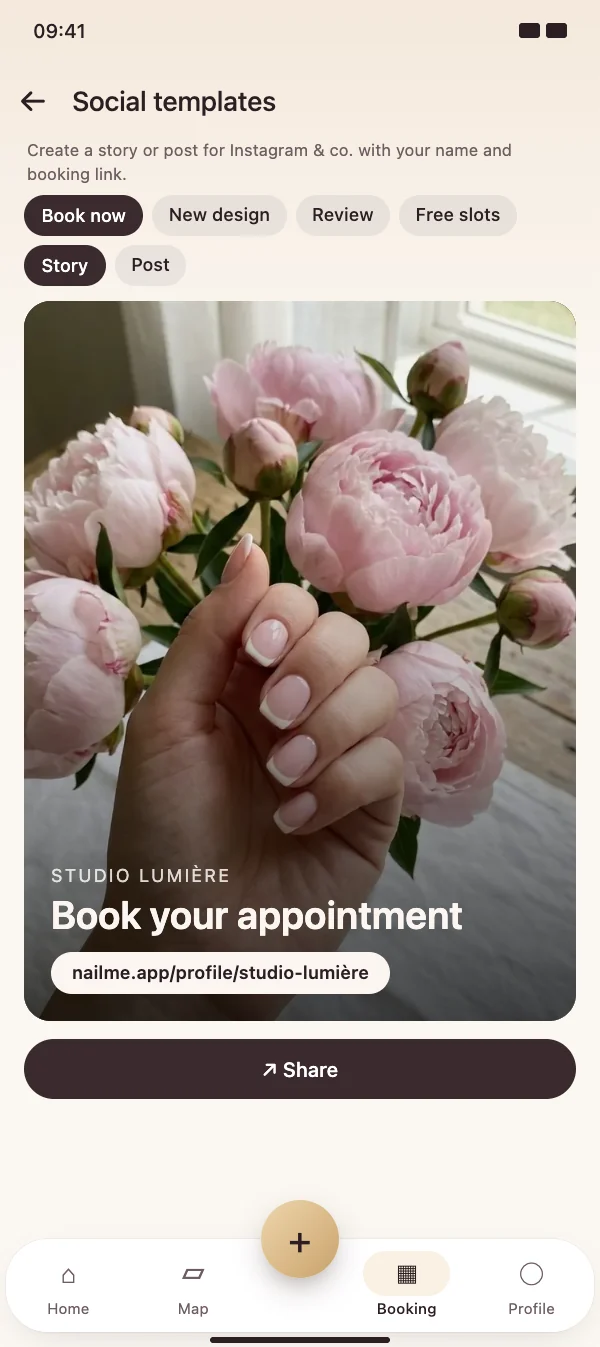
  • Story templates with your free slots and your link

FAQ

More questions on this topic

Do my clients need the app?

No. With your profile link, clients can also book directly in the browser – they just sign in with Google or email. In the NailMe app they also get chat, reminders and their appointment overview.

Does the booking link cost anything?

No. Your profile link and online booking are free, and NailMe takes no commission, also not for clients who come from Google Maps or Instagram.

I do not see Booking in my Google Business Profile. What now?

Not every business category shows the Booking section. In that case, enter your profile link as the website of your Business Profile. It then appears behind the Website button on Google Maps.

How long does it take until the link shows on Google?

Google reviews changes to a Business Profile. Often the link appears within minutes, sometimes it takes a few days.

Can I use the same link on my own website?

Yes. Use your profile link for a “Book now” button on your website, in your email signature or as a QR code in your studio.

Your next nails – already seen on your hand.

Download NailMe for free and discover nail art, AI designs and studios near you. Are you a nail artist? Set up your profile today and get your first online booking.

Free to download · iOS & Android